Thursday, March 26, 2009

iPhone OS 3.0 released to developers

After the arrival of iPhone, things in the world of technology have been completely reshaped and modified. What was thought difficult was made easy by the man, Steve Jobs. The iPhone came and it was no less a wonder boasting of features like a Multi-touch screen, a complete multimedia device akin to the iPods, full Mac OS ported to the iPhone. But then with all the goodies comes all the drawbacks. So, Apple soon went to the drawing board once again and came up with the new Apple iPhone 3G. With more features and functionalities, people were getting increasingly happy. But again basic features like Copy/Paste functions and Forwading SMSes were omitted and Apple received huge criticisms for it.

Scott Forstall, senior vice president for iPhone software discussing the new cut, copy and paste feature

This time they have made sure we don't get much to crib out. Apple have released the iPhone OS 3.0 officially to developers and will be available to general public in June when Steve Jobs will be making his heroic comeback from his medical leave. Rather than talking too much garbage, let us delve into what the iPhone OS 3.0 has new to offer us. Here are some the key benefits out of 100-
  • Cut, Copy and Paste across all applications. This announcement was greeted with thunderous applause prompting cynics to ask why people were clapping for a feature which every mobile phone already has.
  • Forwading SMSes and the ability to delete multiple messages at one go.
  • MMS. Not necessary but with QR codes, it can be used to sell tickets.
  • Spotlight, OS X Leopard's search function will now be available making task work to be finished in a jiffy. Earlier, a lot of scrolling used to be the only thing.
  • Turn by turn GPS navigation. If your city isn't mapped properly by Google Maps, you can use third-party maps to guide you.
  • Support for Bluetooth stereo headphones.
  • Exchange files and contacts over Bluetooth. Songs will be excluded.
  • Instantly hook up with another Bluetooth phone and start playing games. No pairing is required.
  • Typing e-mails in Landscape mode. You can type faster and gives you more space between keys.
  • Parental Controls so that they can ban the sites and videos that they do not their children to watch.
  • Better streaming of videos. iPhone will adjust playback depending on the Internet speed.
  • Tethering. You can use your iPhone as a modem to get onto the Internet.
  • Voice Memo. You can record your letters and mail them and even attach Contacts.
  • Sending Contacts to others.
  • Attach multiple photos in an e-mail. Currently you can attach only one picture.
  • Search your e-mails. If it is not found on the phone, it will search the server too.
  • Subscriptions. This will allow you to buy new levels of games and magazines, newspapers through the Kindle 2 app.
  • Push. Instead of running applications simultaneously, draining battery life, audio and text alerts will be pushed into the closed app.
  • Medical Apps will allow you to measure your blood sugar levels through an adaptor and even track your blood pressure.
With the freedom available to developers, the iPhone can be used as a control panel for practically any electronics available. You can pair iPhone with a set of speakers and use it as a digital equaliser or shake your phone to just shuffle your songs. The possibilities are endless.

iPhone 3.0 Feature list
Discuss about the iPhone OS 3.0

Saturday, March 21, 2009

Microsoft officially releases Internet Explorer 8

Microsoft has announced the availability of Windows Internet Explorer 8, the new Web browser that offers the "best solution for how people use the Web today". It can be downloaded in 25 languages at the link given below starting at noon EDT on March 19. Internet Explorer 8 is easier to use, faster and offers leading-edge security features in direct response to people's increasing concerns about online safety. With this, Microsoft has moved a step further after IE7 was introduced to officially take on the likes of the giant Firefox and Opera.

"Customers have made clear what they want in a Web browser - safety, speed and greater ease of use," said Steve Ballmer, CEO of Microsoft. "With Internet Explorer 8, we are delivering a browser that gets people to the information they need, fast, and provides protection that no other browser can match."

In response to extensive customer research and input from tens of millions of customer sessions, Microsoft developed Internet Explorer 8 to focus on what matters most to people. The security enhancements offer protection against existing and emerging security threats online. It blocks two to four times more malware attacks than other browsers; cuts down on the time it takes to complete common tasks on the Web such as searching, mapping and sharing, including navigating 15 of the 20 top worldwide sites; and blurs the lines between the services they use daily and the browser used to access the Internet.

With IE8, the browser market now becomes more competitive and enjoyable with Mozilla Firefox, Opera, Apple Safari and Google Chrome still battling it out. This competition has now become even more enjoyable. I will be publishing a review in a few days from now on.

Internet Explorer 8 Download Location
Discuss about Internet Explorer 8
News Source

ASUS P320 - The ideal business phone

ASUS, the brand well known for its EEE PC, motherboards and graphics cards which have won accolades all around the world have now come up with another stunning winner - The ASUS P320. ASUS have earlier launched quite a few number of PDAs but none of them didn't really work out and most notable among them is the M930 which tries to mimic the Nokia Communicator series but fails badly at that. But with the P320, ASUS has made no mistakes whatsoever.

The PDA is powered by a 2.6 inch screen with a resolution of 240x320 pixels, which is quite low a screen size for a business phone and that too with a touchscreen. It doesn't have a QWERTY keypad thus making typing on the touchscreen a bit difficult but it is fine once it is used a few times. It has got dimensions of 95x55x13 mm and has a weight of 105 g which makes it both light and sleek for a business PDA.Although there is no 3G in this device but lack of 3G wont really affect the Indian users of this product. This might be an issue in countries where 3G has arrived. It has GPRS, EDGE, Wi-Fi and Bluetooth connectivity thus making it a powerhouse in the connectivity department. The PDA sports a 2-megapixel camera with autofocus and video recording. It also has the standard USB 2.0 port. It has SMS, MMS, Email, Push Email and MSN connectivity services thus making it a powerful all round device. GPS is a very nifty add-on for this phone which makes it even more functional.

The phone is powered by Windows Mobile 6.1 Professional making it a heavyweight in terms of applications features and usability. Document editing is supported in the P320 and Excel, Word, PowerPoint, OneNote and other documents can be edited with ease. The performance is a bit on the slower side due to a slow processor but that doesn't deter it from testing it's limits.

The battery provides a standard talktime of up to 4 hours and a standby time of up to 400 hours. The battery is a Li-ion 1100 mAh which can provide enough juice to a feature rich phone as this one.

The price? Only Rs. 12,800 Indian Rupee and that is just the MRP. At such a price, this is simply a bargain. So why wait? You can't get such a full featured PDA at a price like this and with features like GPS and full office productivity suites, this baby is hard to miss. Excellent investment for anyone looking for the best value for money.


Final Verdict: Excellent phone. Deserves 4.5 stars out of 5. Great work by ASUS and let us hope they keep 'em coming.

Sound Reception:
Ease of Use:
Features:
Reliability & Durability:
Style & Design:
Value for Money :

Thursday, March 19, 2009

Contact Us

If you need any help, want to share some suggestions, make a complaint or have an interesting post to share with us in this blog, contact administrator Ankush Das at-
 
Or you can send him a postal mail at-
16/199, Turf View
249, AJC Bose Road
Hastings
Kolkata - 700042
West Bengal
India

Tuesday, March 17, 2009

Gaming using Microsoft Silverlight

With the advent of latest technology, new new updates coming which are dynamic and totally unseen. And with days going by, each and every department of the technology is seeing heated up competition whether you call it software or the hardware arena. And, since Microsoft has a habit of leading from the front, why would they choose to stay behind when it comes to one of the world's most popular format - Flash. Introduced quite recently and unheard of for many, Silverlight has been introduced to the mainstream market and has already generated a huge fan following already. Many sites have already adopted it and quite a lot of online games have already arrived. Let's see what Silverlight has for us to offer.

A direct competitor of Adobe (formerly Macromedia) Flash, Silverlight provides a retained mode graphics system similar to Windows Presentation Foundation, and integrates multimedia, graphics, animations and interactivity into a single runtime environment. It has been designed in such a way that it will work in conjunction with XAML which can be used for marking up the vector graphics and animations and will be scriptable with Javascript.

Silverlight supports the playback of WMV, WMA and MP3 media content across all supported browsers which include Internet Explorer, Mozilla Firefox, Google Chrome, Apple Safari, Opera and Seamonkey without requiring Windows Media Player, the Windows Media Player ActiveX control or Windows Media browser plugins. Silverlight makes it possible to dynamically load XML content that can be manipulated through a DOM interface, a technique that is consistent with conventional Ajax techniques. These properties help it to make dynamic websites and for online Silverlight games.

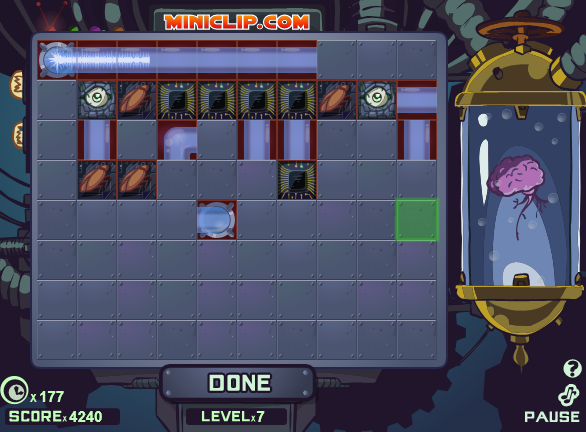
The gaming market is slowly moving towards Silverlight and fast. On the right is a screenshot of a Silverlight game, Zombomatic. Silverlight games of these sorts are coming up very fast on the internet. And one of the sites which will soon be offering a huge number of Silverlight games in one place is the Silverlight Club. The site is working with various Silverlight game developers to bring the netizens 100s of Silverlight games to this one platform. Online gaming sure has a bright future and with sites like these coming up, you are made sure that you ain't going to have a boring experience sitting on the net. So if you are the one who is getting bored and sitting idle in front of your computer, then go and play Silverlight games online and make sure that your time doesn't go pulling your hair. Have fun gaming till then!

Wednesday, January 14, 2009

The Windows 7 Review

The new Windows 7 Beta is a total image makeover from Microsoft after their disastrous Vista. Even though it is Beta, it seems more or less pretty stable without much bugs and people can even think of using it as their everyday OS (well that is surely not recommended). Well my system specifications are pretty unimpressive and Vista had clearly put my system down to it's knees but 7 seems to be pretty impressive at the performance with system specs that read-
Intel Pentium 4 1.73 GHz
Intel 915GM Graphics Chipset (XPDM)
512 MB RAM (Although Microsoft recommended 1 GB minimum RAM)
80 GD HDD (20GB dedicated for Windows 7)
Now, let's get into the inards of the OS. The startup is cool with four animated flashing lights making up the Windows logo and progress bar has been removed. Logs in pretty quickly and starts up preparing the desktop in a jiffy. Let's look at all the standout features of the New Windows 7.
Important Features
Superbar
The first thing you will notice on the desktop is the change of the taskbar. Not only by looks, but also by functionality. Larger icons with no text take up less space and look beautiful. The Vista Start Orb is now replaced with a glowing new Orb. The rest of the start menu is the same as Vista but with faster and efficient searches. Looks like 7 has been made to be an intelligent OS that understands and processes the User's demands fast.

Jump Lists
Jump Lists is an exciting new feature and does not remain the same boring right-click any more. It is way more better. Right clicking each active application or folder presents you with the related options. For example, for right click on Windows Media Player running in the backgorund, you get different playing options. Right clicking on an open folder gives you a list of frequently used files and folders making navigation a whole lot more easier.

Aero Peek
Unluckily due to my very modest hardware of my Laptop, I was not able to experiment this particular feature but from what I read on the Internet was that this is another feature pretty impressive and much more functional than the WinFlip in Vista which most people never ever used. You can literally peak through open windows to see the window below or the desktop below. Clearly a very nice and useful concept.

Less Obtrusive UAC
Well this had to be a feature becuase of the problems UAC had created with Vista. Now the UAC is pretty much less obstrusive and you can also configure it in 4 levels to control how much it disturbs or nags you.


Search different sites right from Explorer
Yes and that's a very very new and cool feature. Just add a .osdx file of that respective site and then all you need to do is select the site in Windows Explorer and start searching through the Search Bar. New and innovative feature. No need to open any browsers. You can try it by seeing the template available in the site below-


Seems faster than Vista and XP
Yes, I said it, XP too. Although not in all places, but 7 does manage enough punch to beat Vista hands down and XP with a fierce competition. Even on my system, Windows 7 works very snappily and is a whole lot of fun to use. Loads applications pretty fast and the startup times are simply mind boggling. It just takes around 15 seconds for everything to set up and get up and running. Impressive! It seems pretty stable too. Even though it's a Beta, my Laptop hasn't hanged even a single time nor it has seen a BSOD (Blue Screen of Death). This is good work from Microsoft as Beta versions are known to be quite unstable but this one manages to cling on to the exception list. The final version seems to be interesting as the final version is generally better than Beta and a lot changes during that transition.
Looks pretty good till now without breaking a sweat. Windows 7 is here to salvage something of what Windows Vista made of mess off. Not only features and designs but a whole lot of performance improvements. Windows 7 seems quite ready for Netbooks. Interesting how Microsoft redesigned the kernel to use lesser memory and resources and then built the whole Vista code on it with new things too. Haven't got a chance to review the Touch features of 7 but will surely cover it up sometime later with a review. Ubuntu, the Linux OS which had been hailed as the Windows killer is now facing the heat from Windows 7, the Linux killer. It will be a good competition in the days to come and hoping Microsoft would not disappoint us at all. Since we have good things so much, why not talk about the bad part. So here it goes for the small group of XP users.

Some Reasons why a group of XP users won't like 7
  • Since 7 is based on the same driver model as Vista, it is deemed to suffer from driver incompatibilities although users upgrading from Vista will have no issues with this problem.
  • Vista was known to be bloated because it had Aero and since 7 hasn't changed much there, XP users with low system specs are in for a huge disappointment but the Basic theme works fine on low end PCs.
  • Since XP users with low system specs won't get the benefit of all the features and top-notch performance, they would rather stay put with XP instead of upgrading.
  • Upgrade from Vista to 7 is allowed but not from XP to 7 which is in my view a huge omission. That means an XP user wanting Windows 7 will either have to be ready to get the Hard Drive wiped clean or perform a Dual-boot which an average guy with little computer knowledge is not expected to know.

Well here's my Windows 7 review. Many points are important for Microsoft to consider while getting ready to prepare the final package. Windows 7 is surely a step forward in reviving the image of Microsoft among Corporates and Tech critics. But a lot still needs to be done. Whatever they have come up with till now is pretty good and hope that this just gets better. Good Luck to Microsoft for coming up with a neat final package. Till then, I will enjoy using the Beta and take loads of opportunities to toy around with it.

Monday, January 12, 2009

Windows 7 Beta is now officially available!

After months and months of pure speculation, Windows 7 is finally out and with a bang. It was originally slated for release on January 9th but due to the overwhelming response of the masses, Microsoft delayed it by one day to add more servers for a better download experience. It is finally out and if you want to lay your hands on it immediately, then head to the link below-
 A Windows 7 Desktop

For download instructions and other Windows 7 info, head to the official Windows 7 site to get everything you need to know. But do remember that the Beta will expire on August 1st, 2009 and is available only for the first 2.5 million downloaders. To get the keys for the 32 and 64-bit builds, head over to the link below-

The keys need to be used to activate the Beta build so that they can be used for the full Beta period.
This is a very much anticipated release from Windows and I will be publishing a short review of the OS right here in this blog so do stay tuned to the blog for the latest updates of Windows 7 and more info on it.
Installation is pretty simple, all you need to do is burn the ISO downloaded to a blank DVD using a DVD Burner software and then run the setup. Starting up Windows 7 is as easy as it gets and once you start up the setup, all you need to do is sit down in front of the computer with a cup of coffee.
Till the next post, Happy Experimenting Windows 7.